Key Takeaways
- Business Hub lets you claim a ChatGPT profile, see 28 days of mentions and clicks, and, if eligible, publish a Business Agent.
- If your business isn't listed, eligible online businesses can create it; local stores and restaurants can only claim existing US listings.
- Domain verification uses a TXT record named openai-business-profile, and ours expired 30 minutes after it was created.
- A new profile publishes automatically once the owner's ID check is approved, and published profiles can't be deleted.
- Claiming doesn't guarantee ChatGPT recommends you; that still depends on the AEO work behind your pages, listings and mentions.
OpenAI now lets businesses claim a profile inside ChatGPT. The feature is called Businesses in ChatGPT, it's in beta, and you manage it from a dashboard called Business Hub. We created and verified Indexed's own profile the week it launched, and this guide is that exact process, with the screenshots, the snags we hit and what to do after you claim.
Want it done for you? We set up ChatGPT profiles inside our 30-day AEO Sprint.
What is Businesses in ChatGPT?
According to OpenAI's help center article on setting up your business, Business Hub lets you claim your business in ChatGPT, provide business details and product information, and see how people engage with it. It has three parts:
- A profile you claim and verify, with your website, description, category, logo and policies.
- Insights covering the past 28 days: mentions, website clicks and the common topics in answers that cite you.
- Business Agents, which let eligible US ecommerce and online service businesses publish an agent that answers customer questions about their products and policies.
OpenAI announced Businesses in ChatGPT as a beta, and Search Engine Roundtable reported the Business Hub dashboard going live with click data.
Who can claim a business in ChatGPT?
Anyone who owns a business or is authorized to represent it, where ChatGPT is available and the required verification is supported. You don't need an Ads account or an Enterprise agreement. If your business isn't listed, eligible online businesses may see an option to add it, while local stores and restaurants can currently claim only an existing US listing. Indexed is an online service business, wasn't listed, and could add itself.
How to claim your business in ChatGPT, step by step
1. Open Business Hub
OpenAI's instructions say to open Business Hub from the ChatGPT sidebar. On the account we used, there was no sidebar link, so we went straight to chatgpt.com/business-hub, which worked.
2. Search for your business, or create it
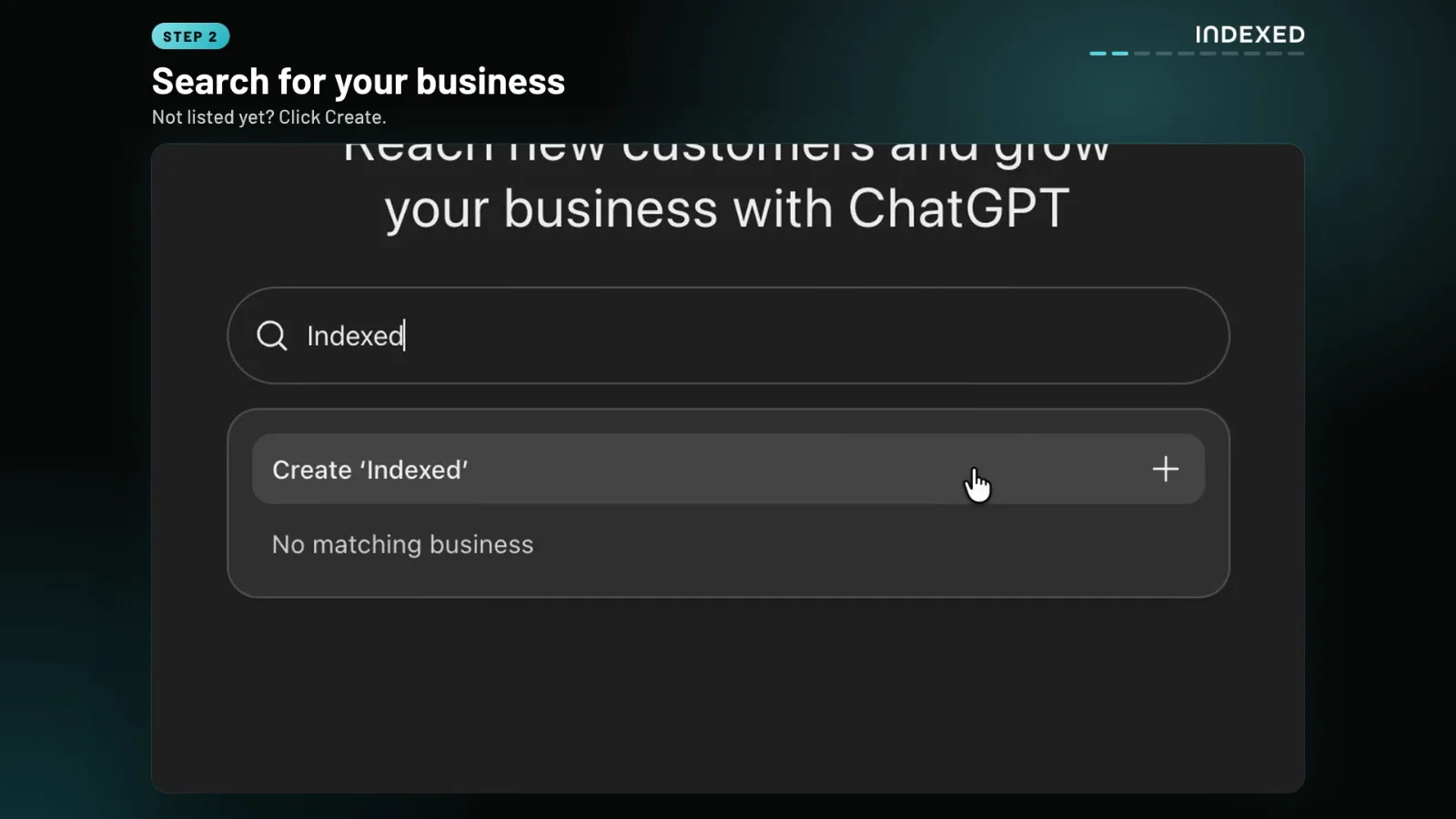
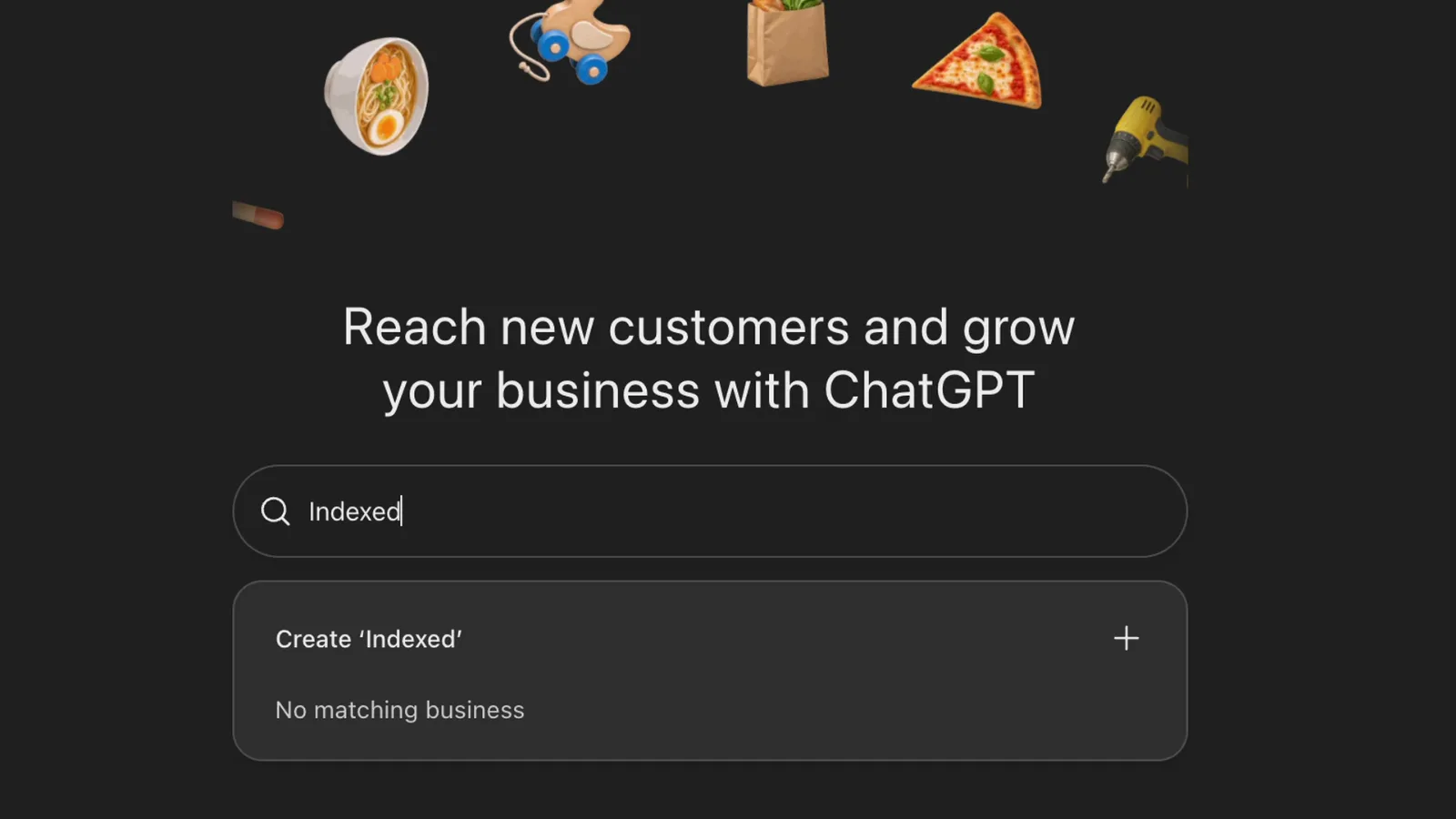
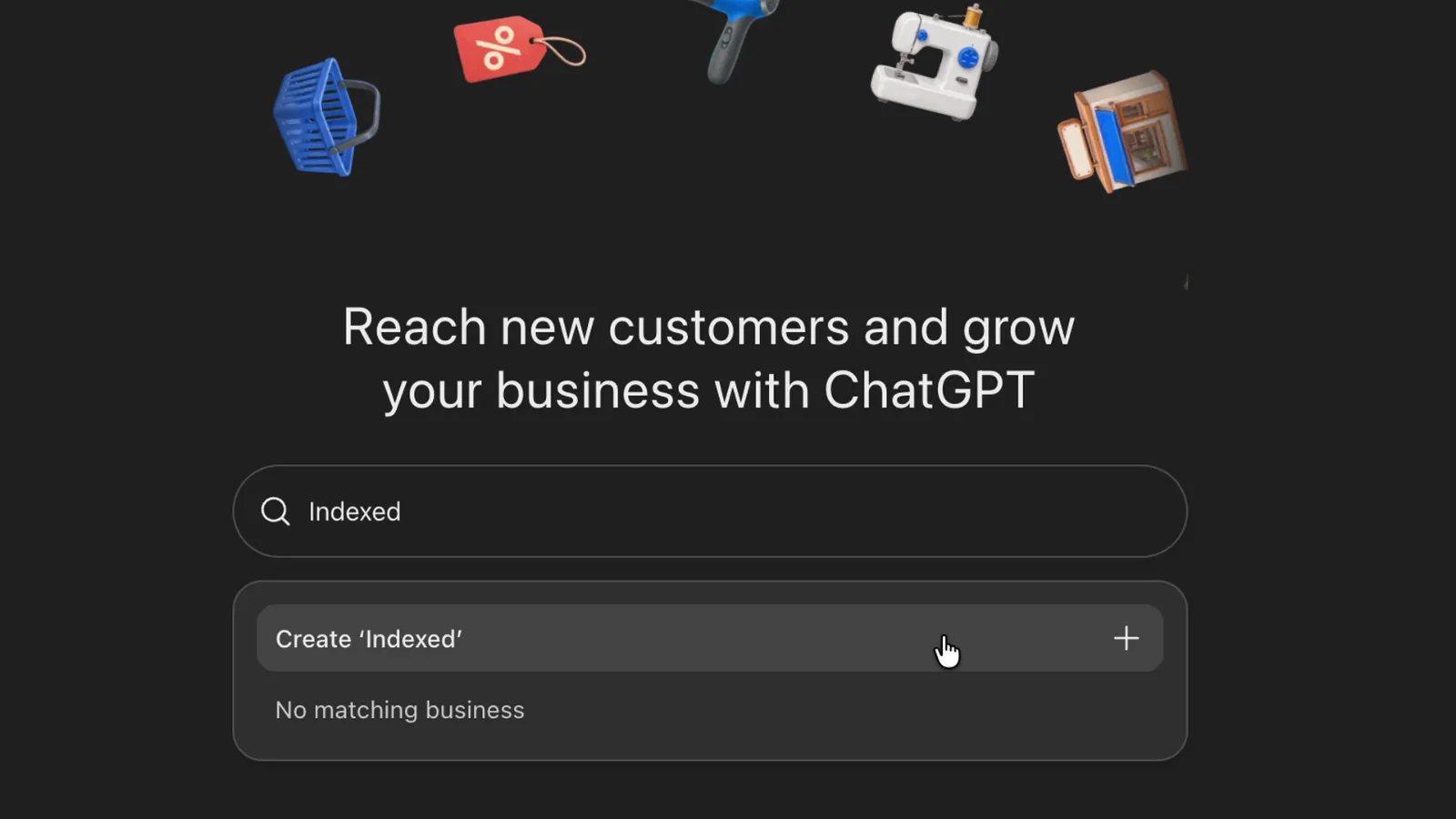
Search by name. If your listing appears, select it and confirm the ChatGPT account you'll manage it with. Indexed returned no matching business, so we clicked Create with our exact brand name. Use the name customers know you by, not a keyword variation.
3. Choose how customers reach you
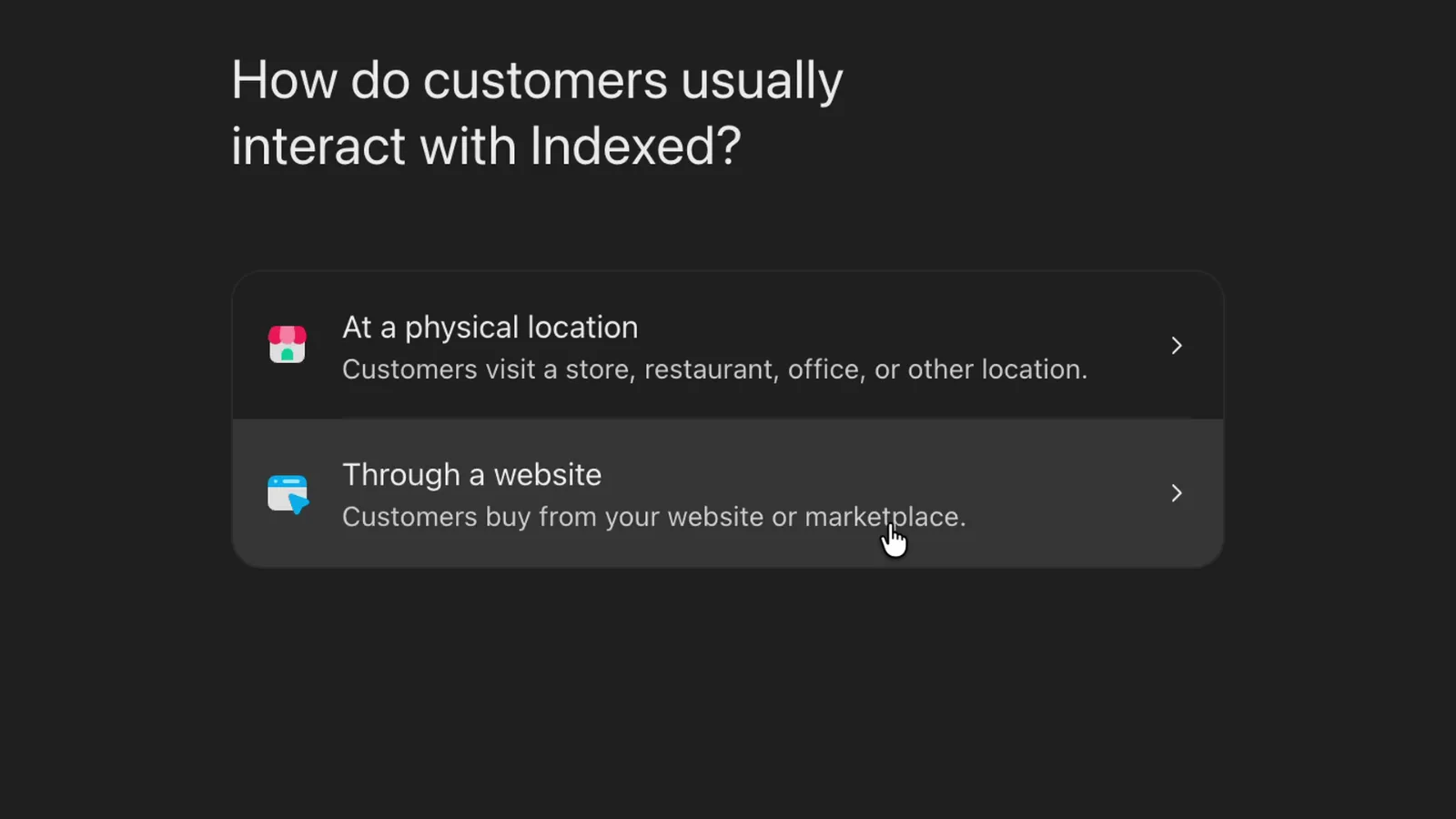
The next screen asks whether customers visit a physical location or buy through a website. Online and service businesses pick Through a website, then add their site.
4. Verify that you control your domain
ChatGPT shows the verification methods available for your business: a code to your business phone or email, a TXT record on your domain, or your Shopify store. We used the domain method. ChatGPT gave us a TXT record named openai-business-profile on our domain, with a value to paste.
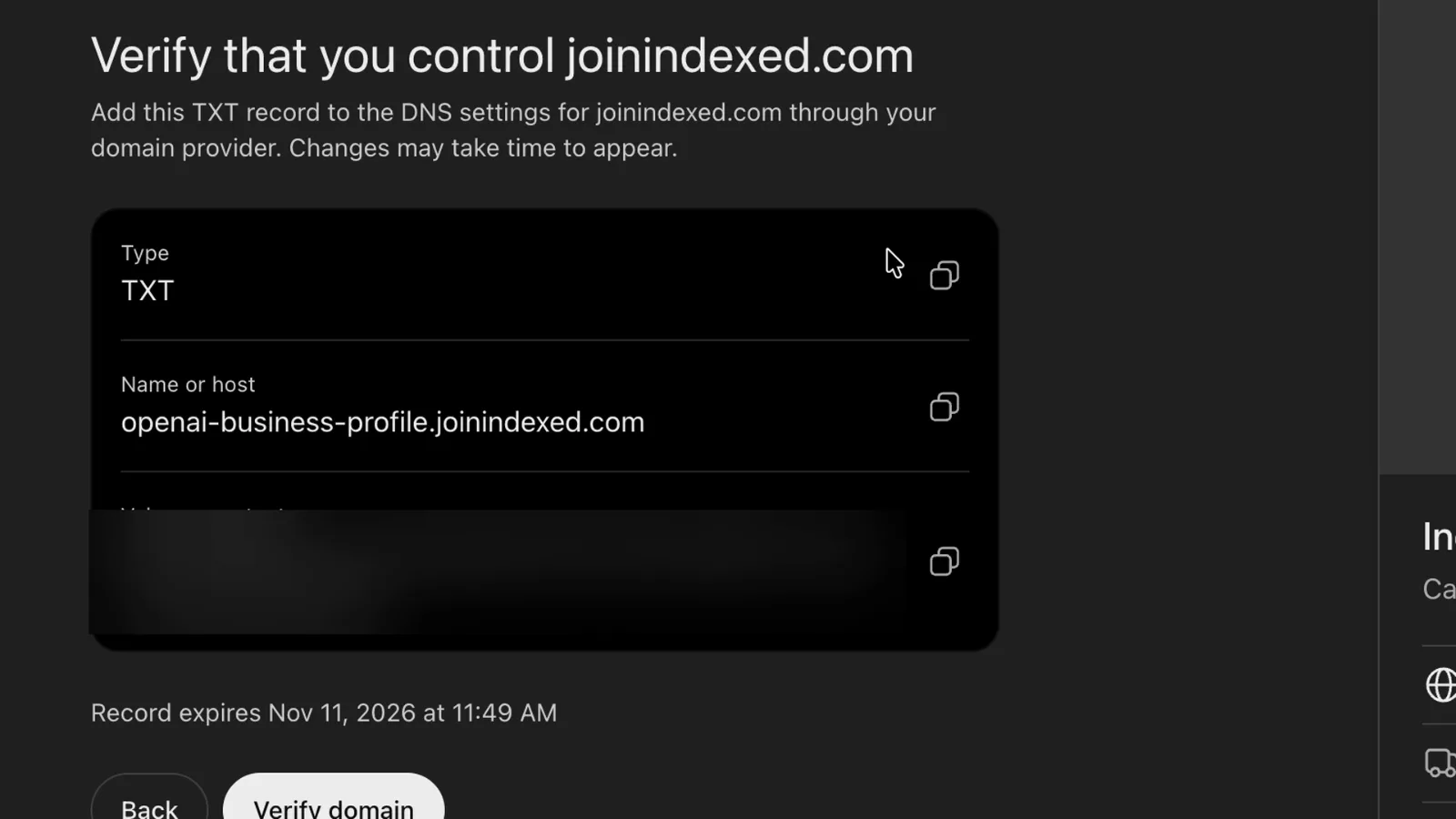
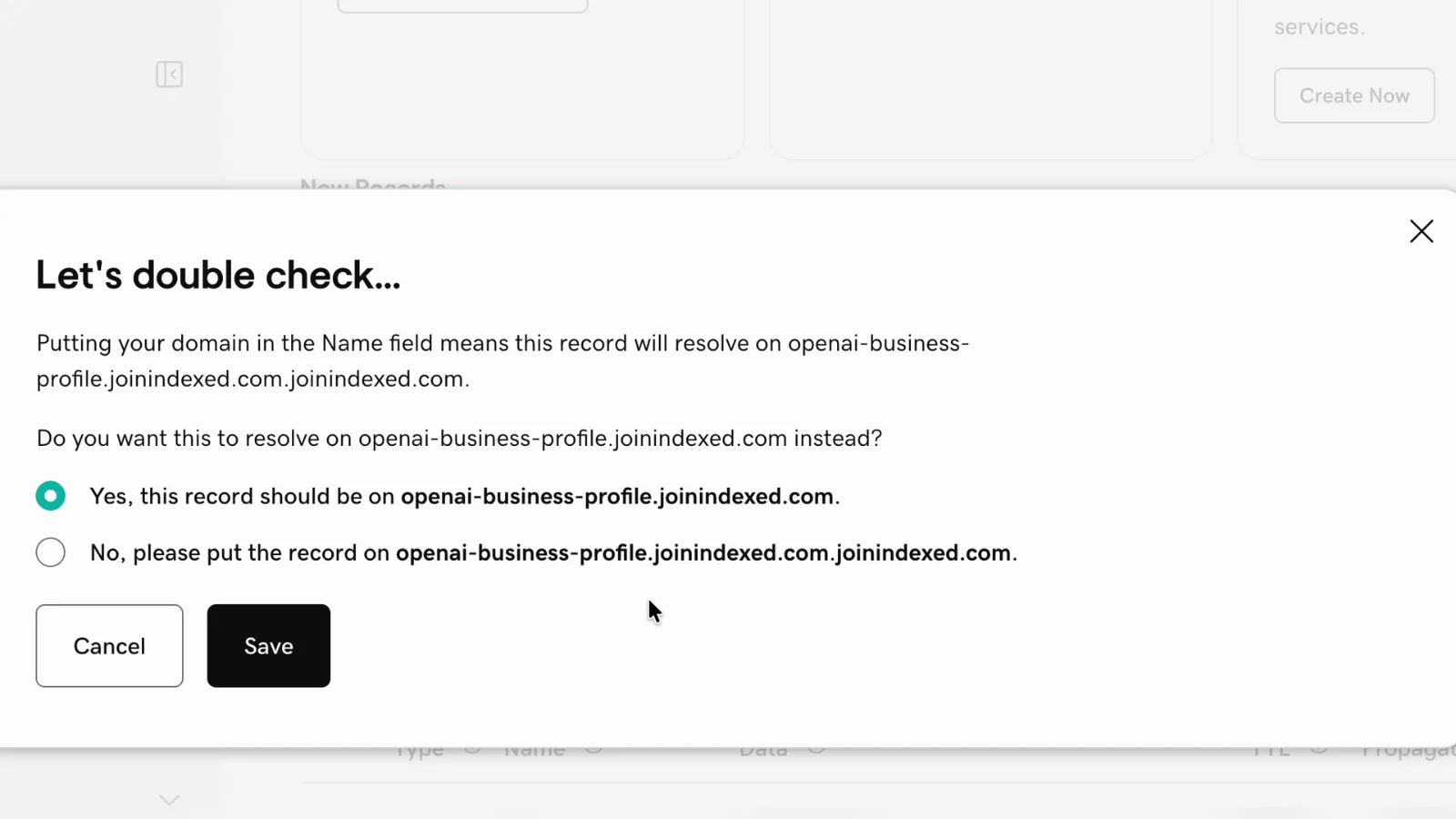
Two things to know before you start. First, our record expired 30 minutes after ChatGPT created it, so have your DNS login ready; if it runs out, go back and you'll get a new value. Second, in GoDaddy, enter just openai-business-profile as the name, because GoDaddy adds your domain itself. If you paste the full host, GoDaddy asks whether to fix the doubled name: keep Yes.
Back in ChatGPT, click Verify domain. Our record showed up on public DNS within a few minutes. If verification fails, wait a little and try again.
5. Fill in your business details
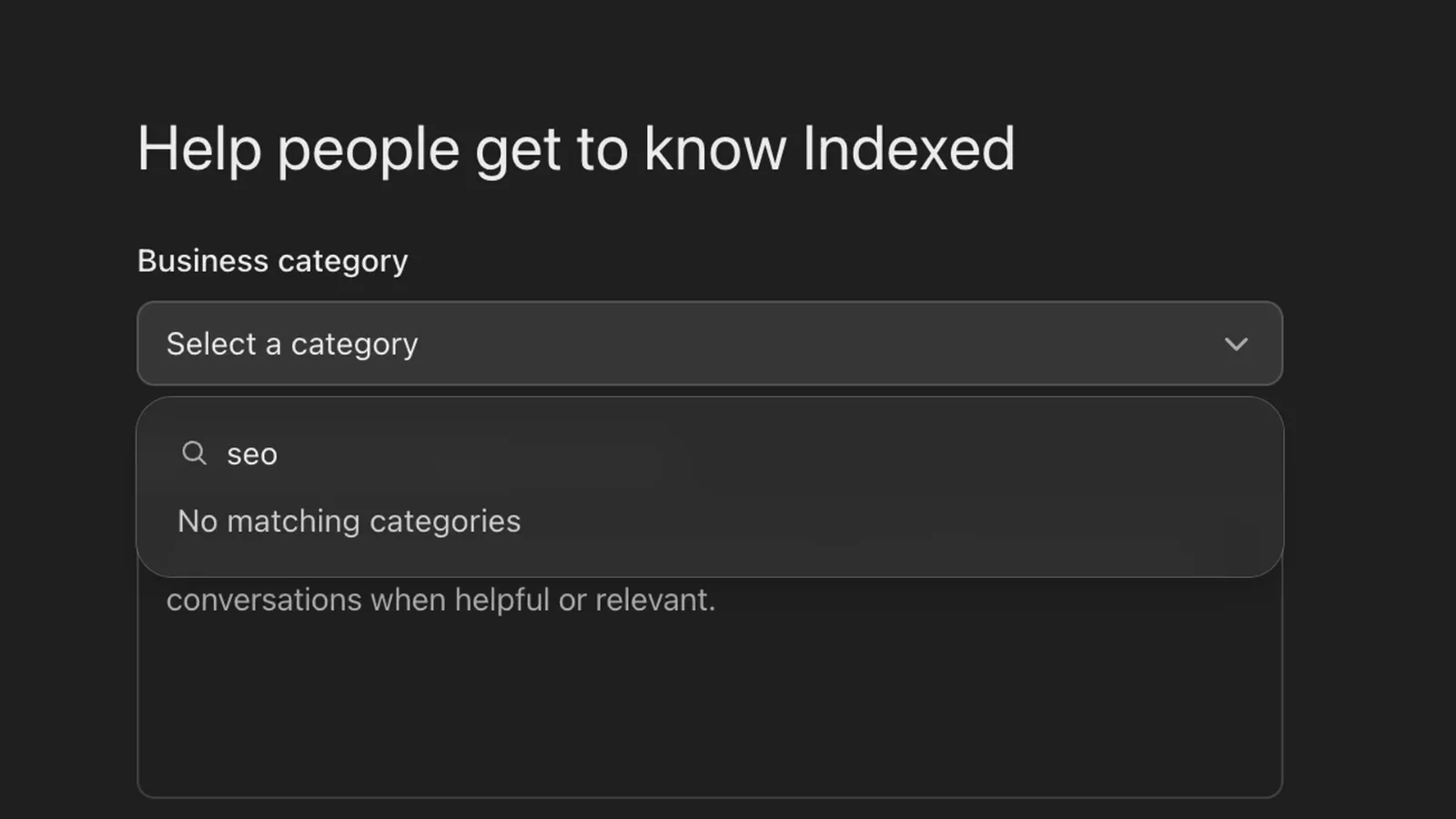
Pick a business category from the list. There was no SEO category when we searched, so we chose Marketing agency. Then add a description: the box stops at 300 characters, so lead with who you serve and what you do. Contact details are optional, and adding an email needs a verification code, so do it when someone can receive one.
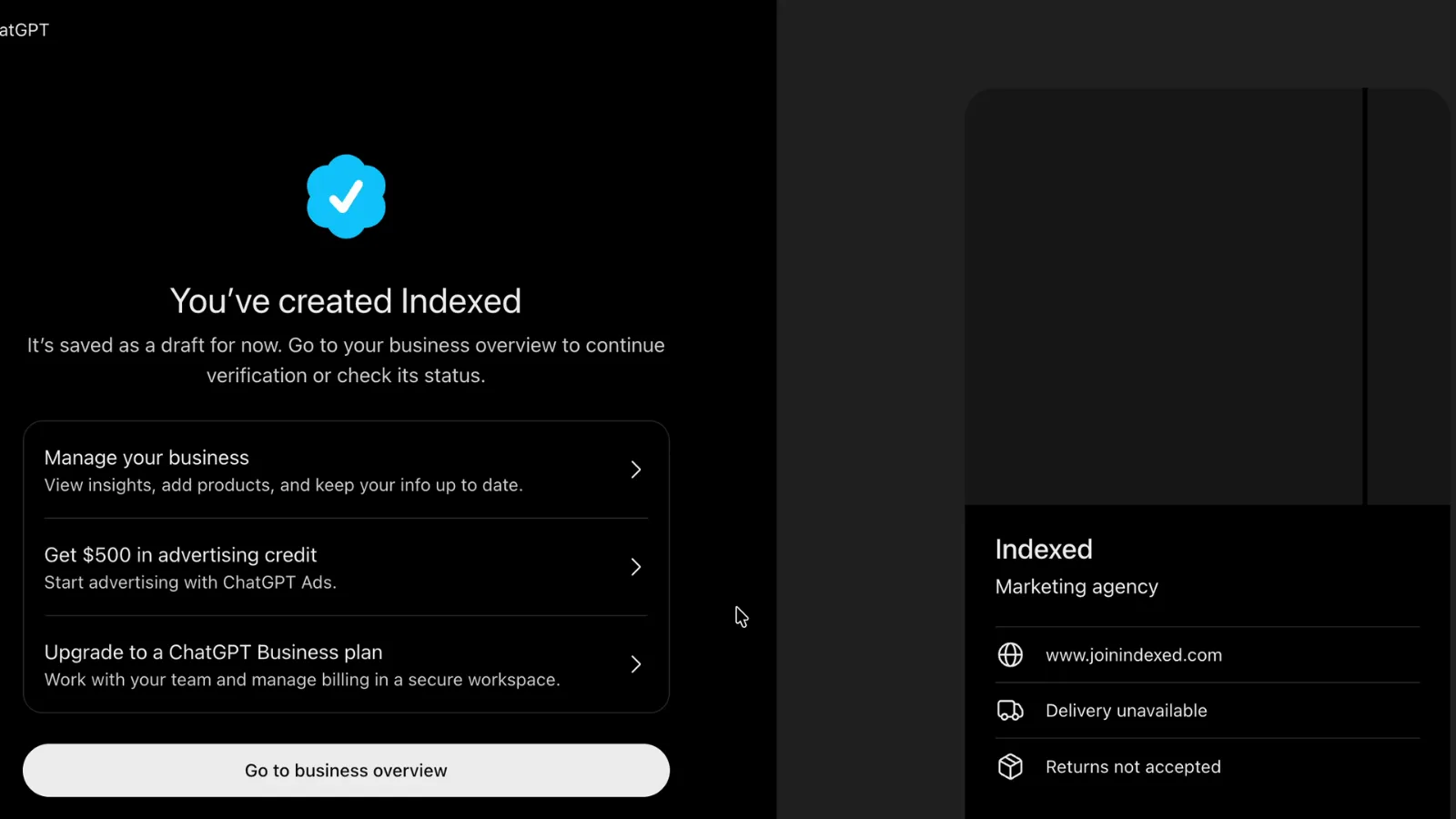
The form then asks about delivery and returns. It's built for shops, so a service business should answer honestly: no delivery, and no returns of physical goods.
6. Finish with the ID check
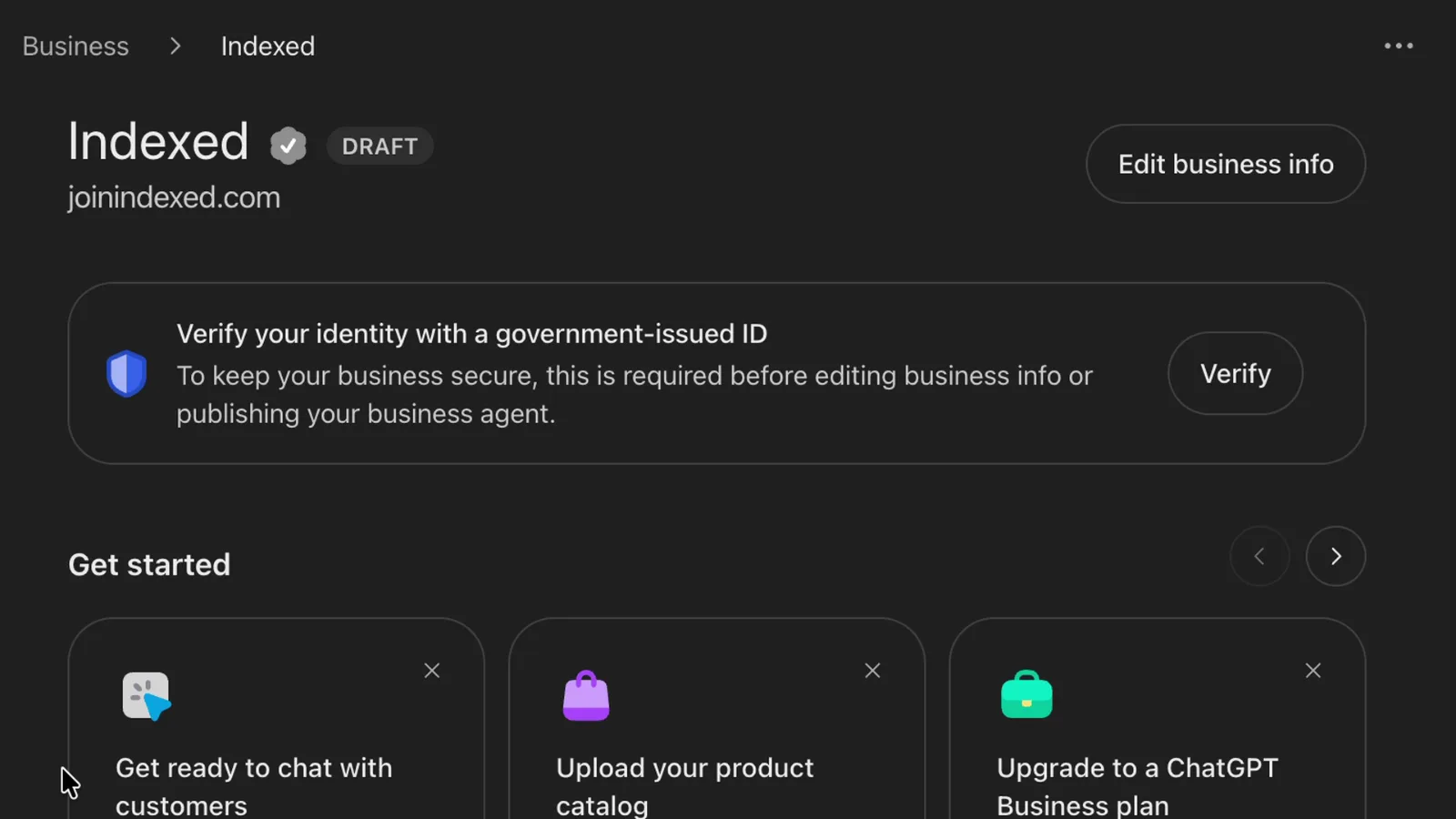
Once submitted, your business is saved as a draft. To publish changes, view insights or create an agent, someone authorized completes identity verification with Persona, which may ask for a government-issued ID, business registration information and proof that you can represent the business. Approval adds the blue check. If you created a new profile, OpenAI's approval publishes it automatically, and a published profile can't be deleted, unpublished or hidden, so check every detail before this step.
What the Business Hub dashboard shows, and what it doesn't
Insights cover the past 28 days. For an online business, a mention counts when ChatGPT references your website, not just your brand name. You also see website clicks and discovery topics, which are themes from answers that mentioned or cited you. You don't see individual prompts, conversations or chats with your agent, and blank numbers can mean activity hasn't reached the reporting threshold yet.
The dashboard also doesn't show competitors. To see which businesses ChatGPT names instead of you, you still need prompt tracking, the same work covered in our guide to getting ChatGPT to mention your brand and tracking when it does.
Is Business Hub ChatGPT's version of Search Console?
That's how plenty of SEOs have described it since the dashboard went live, and it's the closest comparison. Both come from the platform itself and show how often you appear and how many people click through. The gap is in the detail: Search Console's Performance report shows the queries people typed and your average position, and Business Hub shows neither.
Feature |
Google Search Console |
ChatGPT Business Hub |
|---|---|---|
Who runs it |
OpenAI |
|
How often you show up |
Impressions in Google Search |
Mentions, counted when ChatGPT references your website |
Traffic |
Clicks from Google Search |
Website clicks from ChatGPT |
What people asked |
The queries they typed |
Not shown: no prompts or conversations |
Where you rank |
Average position and click-through rate |
Not shown: no position or ranking data |
How it breaks down |
Individual queries and pages |
Discovery topics: themes from answers that mentioned or cited you |
Date range |
Past three months by default |
Past 28 days |
Access |
Verify you own the site |
Verify the business, then pass an ID check |
So Business Hub tells you ChatGPT is sending you traffic, not which questions it came from or who got named instead of you. Finding that out, and fixing it, is still AEO: prompt tracking, competitor checks and page work. Search Console never did your SEO for you either.
Does claiming your profile get you recommended?
Not on its own. OpenAI says claiming doesn't guarantee increased visibility or give you control over ChatGPT's independent recommendations, and that advertising doesn't influence its answers. ChatGPT may also use other sources when it answers questions about your business. In practice, recommendations still come from what the web says about you: your own pages, your listings and reviews, and the third-party sites that mention you. That's answer engine optimization, and it builds on SEO rather than replacing it.
What about the $500 ChatGPT Ads credit?
Right after we created our profile, Business Hub offered $500 in advertising credit. It isn't free money: OpenAI's ads site describes it as a match for new advertisers, where you get $500 in ad credit when you spend $500, and the offer ends December 31.
According to OpenAI's guide to ads in ChatGPT, ads appear below ChatGPT's responses, carry your name, logo, headline, copy, image and landing page, and are billed per impression or per valid click, with a suggested starting bid of $3 to $5 per click. They aren't shown to people on Plus, Pro or Business plans, or to accounts identified as under 18, so you reach people on ChatGPT's other plans, including free users.
Two things to keep in mind. First, OpenAI says advertising doesn't influence ChatGPT's independent answers, so ads and your profile are separate levers: ads buy placement next to the answer, AEO is what gets you into it. Second, add UTM parameters to your landing page URL before you spend, so you can see in your analytics what the credit actually brought in. If you try it, test one clear offer for the questions your buyers ask, rather than spreading the credit thin.
What to do after you claim
- Track ChatGPT clicks in analytics. Set up a channel for AI referrals so you can see what those visits are worth, following our guide to tracking LLM referral traffic in Google Analytics 4.
- Baseline the prompts your buyers ask. Run the questions a customer would ask before hiring or buying, in ChatGPT and other assistants, and record who gets named.
- Use discovery topics as a content list. The themes ChatGPT already cites you for show which pages to strengthen and which questions to answer next.
- Give your agency access properly. The admin who claimed the business can add teammates and grant an agency access in Business Hub, each with their own ChatGPT account. Don't forward a personal claim invitation.
We run all of this in the first weeks of an AEO Sprint; see what a 30-day AEO sprint should deliver for the full picture.
FAQ
Is it free to claim a business in ChatGPT?
OpenAI's setup guide doesn't mention any fee for claiming, and says you don't need an Ads account or an Enterprise agreement. Claiming, publishing an agent and advertising in ChatGPT are separate; the $500 ad credit is a match on your first $500 of ad spend, not a fee or a requirement.
Is Business Hub the same as Google Search Console for ChatGPT?
It's the closest comparison, but not the same. Both show how often you appear and how many people click through. Search Console also shows the queries people typed and your average position. Business Hub shows no prompts and no rankings, only mentions, website clicks and discovery topics over the past 28 days.
Can I claim more than one location?
Each brand is managed separately, and claiming the main brand doesn't claim its locations. Central management across a parent company's brands and locations isn't available yet.
Can a Business Agent take orders or bookings?
No. An agent can explain your products and policies and link to your website, where customers complete purchases, bookings or order lookups.
Who can build a Business Agent?
Eligible ecommerce and online service businesses in the US with a website, subject to OpenAI's Business Agents Policy. Other businesses can still claim and manage a profile.
Related Reading

Written by
AnirbanHead of Content, Indexed
Anirban is Head of Content at Indexed. He runs the search side of client work end to end, from the audit to the roadmap to what ships, and makes videos about what healthy SEO looks like.
What to read next
One email a week
How to turn search into revenue.
One idea a week from live client work: what we changed, what it was worth, and what you can take from it.
One email a week. Unsubscribe in one click.